How to Export WhatsApp Group Contacts & Unsaved Numbers to Excel, CSV & vCard
Managing a WhatsApp group, event, community, or WhatsApp Business account with dozens or hundreds of members? Here is the cleanest, 100% local way to extract available phone numbers—including unsaved contacts—into a structured spreadsheet or phone address book.
Snipdex Export WA for Chrome
Excel (.xlsx) · CSV · vCard (.vcf) · Offline Chat HTML · 100% Local · Free up to 30 new numbers/day
📲 Reading on your phone? Send this link to your WhatsApp to open it on your computer.
3 Steps to Download Your Group Contacts
1. Open WhatsApp Web in Google Chrome
Go to web.whatsapp.com on your computer, open the Snipdex Export WA extension, and choose your sources: the currently open group, multiple groups at once, active chats, or saved contacts.
2. Preview, Filter Unsaved Numbers & Merge Duplicates
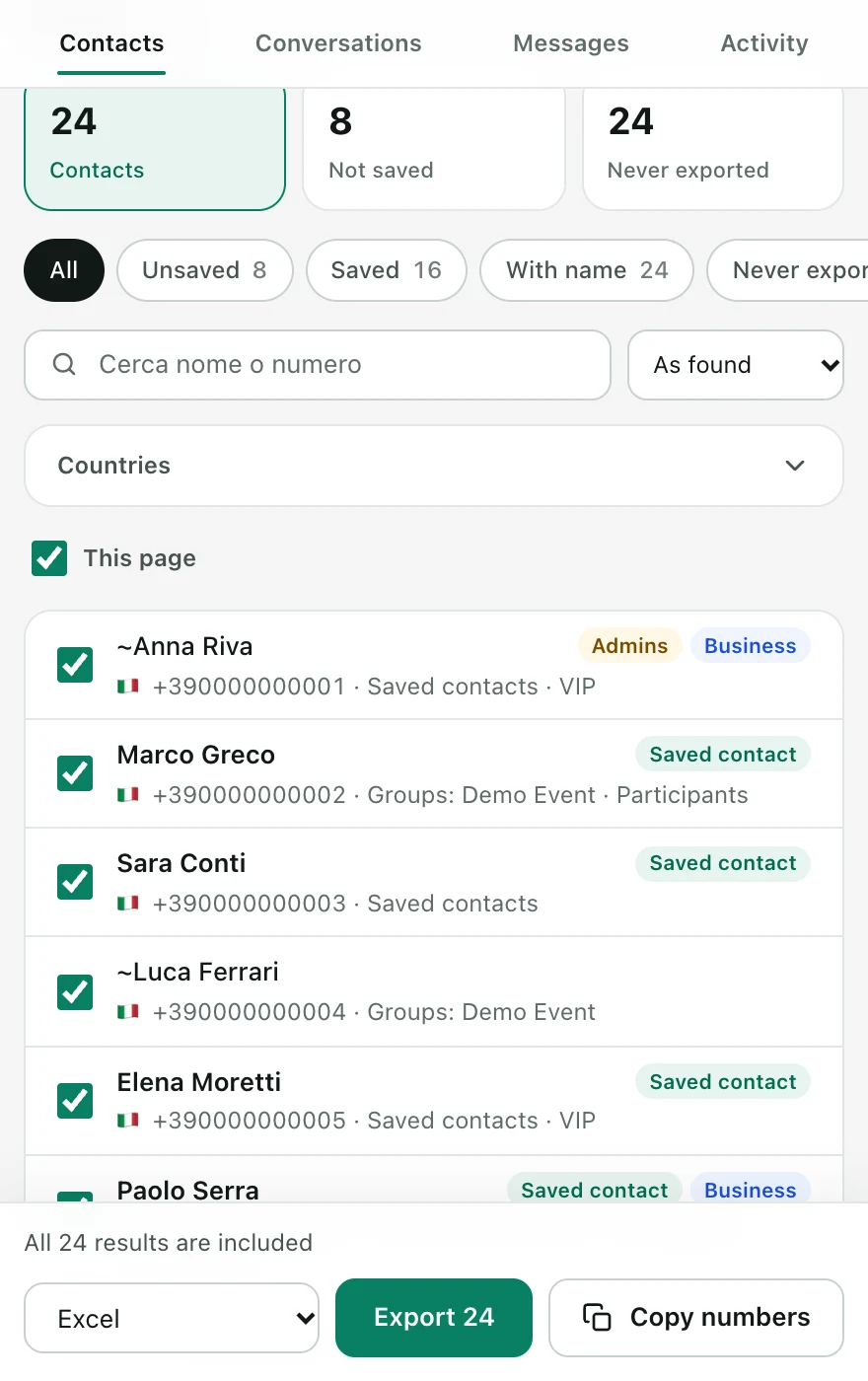
Before downloading, inspect the live table. Filter specifically for Unsaved numbers, see public profile names (pushnames), country codes, and WhatsApp Business labels, and automatically deduplicate numbers across multiple groups.
3. Export to Excel (.xlsx), CSV, or vCard (.vcf)
Select the exact columns you need and download a clean .xlsx or .csv spreadsheet for your CRM, or a .vcf (vCard) file to import all contacts into iPhone, Android, or Google Contacts. Download sample Excel file.
Comparison: Manual vs. Built-in Export vs. Snipdex
| Method | Includes Silent Group Members? | Filters Unsaved Contacts? | Time for 200 Members |
|---|---|---|---|
| Manual Copy-Paste | Yes, one by one | Manual visual check | ~60 minutes |
| WhatsApp "Export Chat" (.txt) | No (only people who sent messages) | No | 15 mins + regex cleanup |
| Snipdex Export WA | Yes (all session-available members) | Yes, 1-click "Unsaved" filter | Under 30 seconds |
Simple Pricing — No Subscriptions
Free Plan
Up to 30 new phone numbers per day. Includes preview, filters, Excel, CSV, and vCard export.
7-Day Pass
Unlimited exports for 7 full days. Expires automatically with zero recurring charges.
★ PRO Lifetime
Only €11.10 more than the 7-day pass. Unlimited daily exports forever on up to 2 computers.
Frequently Asked Questions
Can I export unsaved phone numbers from a WhatsApp group?
Yes. All visible phone numbers available in your WhatsApp Web session are exported—even if they are not in your phone address book. You can also toggle the Unsaved filter to export only unknown numbers.
Are my contacts uploaded to remote servers?
Never. All contact extraction and Excel/CSV/vCard generation happen 100% locally inside your browser. License verification is handled separately via Lemon Squeezy without transmitting contact data.
Why can the exported count be lower than total group members?
Snipdex exports every contact with a usable phone number exposed in your WhatsApp Web session. Because WhatsApp Web privacy rules do not always expose every member's phone number, the usable count is clearly shown in the preview before you download.
How do I import WhatsApp group contacts into iPhone, Android, or Google Contacts?
Choose the vCard (.vcf) format in Snipdex, download the file, and open it in your phone's Contacts app or import it into Google Contacts. Already have an Excel file? Use our Free Online VCF ↔ Excel Converter.