How to Extract Unsaved Numbers from a WhatsApp Group into Excel
When managing large WhatsApp groups, most participants are strangers whose numbers you haven't saved to your address book. Here is how to filter and download only unsaved phone numbers directly into Excel or CSV.
Snipdex Export WA for Chrome
Excel (.xlsx) · CSV · vCard (.vcf) · 100% Local · Free up to 30 new numbers/day
📲 Reading on your phone? Send this link to your WhatsApp to open it on your PC.
Why Extracting Unsaved Numbers Manually Fails
WhatsApp's native interface only shows a comma-separated list of unknown phone numbers under the group title. Copying and pasting this string results in a messy block of text with missing country prefixes, broken formatting, and zero structure.
If you need these contacts for customer service, CRM import, lead tracking, or event attendance, you need a clean spreadsheet with international phone numbers separated in their own column.
How to Filter & Export Unsaved Numbers with Snipdex
1. Open WhatsApp Web & Launch Snipdex
Navigate to web.whatsapp.com in Google Chrome. Open the group containing the unsaved numbers, then click the Snipdex icon in your browser toolbar.
2. Select Group & Apply the 'Unsaved' Filter
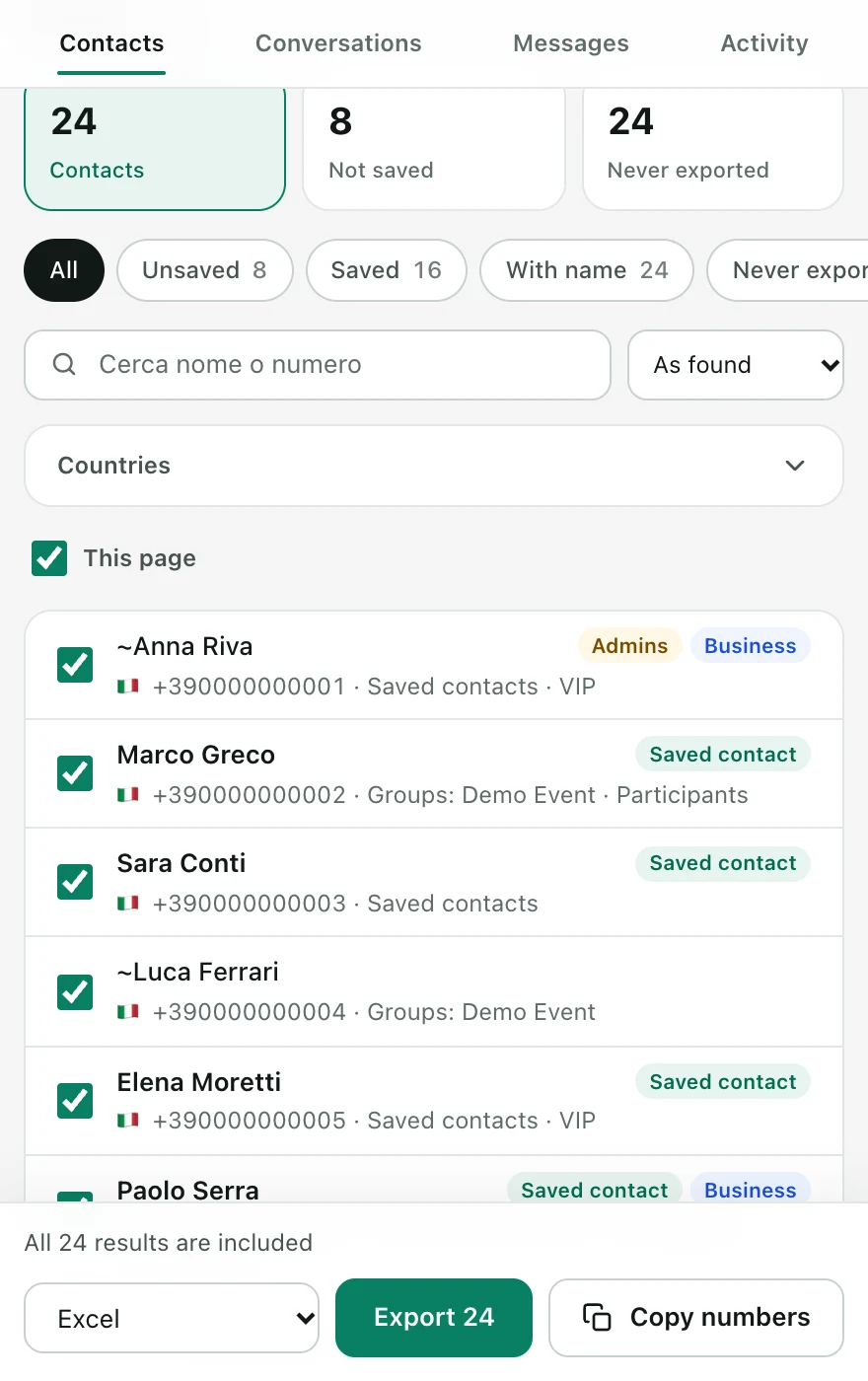
Choose Open group as your source and click Find contacts. In the results table, toggle the filter to Unsaved contacts only. Snipdex instantly hides anyone already in your address book.
3. Choose Columns and Download Excel or CSV
Select your columns: Phone number, Public profile name (pushname), Country code, and Country. Hit Download file to receive a clean .xlsx spreadsheet or .csv file in seconds.
Recommended File Formats
| Format | Best For | Key Benefit |
|---|---|---|
| Excel (.xlsx) | Direct analysis & reporting | Columns already divided, numbers preserved with + prefix |
| CSV (.csv) | CRM & marketing tools | Universal format compatible with HubSpot, Salesforce, Google Sheets |
| vCard (.vcf) | Phone address book | Import all unsaved numbers to iPhone or Android in 1 tap |
Privacy & Safety Note
Snipdex operates 100% locally on your computer. Your WhatsApp session data and exported phone numbers never touch remote servers. Always adhere to privacy regulations (such as GDPR) and ensure you have legitimate reasons to contact group participants.
Frequently Asked Questions
Will my personal WhatsApp account be banned?
No. Snipdex is a passive browser extension that reads elements already rendered in your local WhatsApp Web session. It does not send bulk automated messages or use prohibited WhatsApp API bots.
Can I also export profile names for unsaved numbers?
Yes. When a user has set a public WhatsApp profile name (pushname), Snipdex captures it in the 'Profile Name' column.
How many numbers can I export for free?
Snipdex Free exports up to 30 new numbers every day. For full group rosters (100, 250, or 1000+ members), you can unlock unlimited exports with a 7-Day Pass (€7.90) or PRO Lifetime (€19 one-time).
Ready to Export Your Contacts?
Process up to 30 contacts free every day or unlock unlimited instant exports with Lifetime.